

Find
The right item in seconds
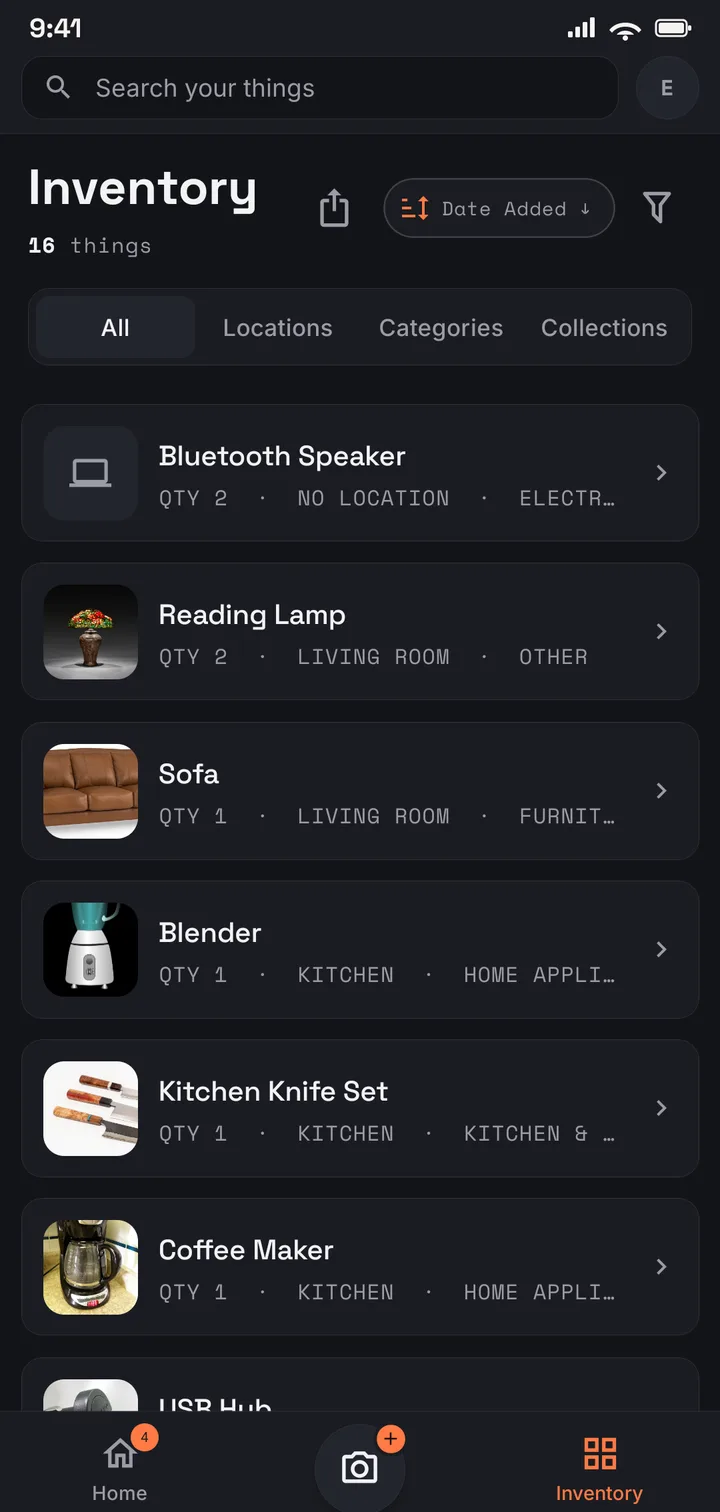
Search by name, tag, or location instead of tearing the garage apart, and group what belongs together into collections that cut across rooms. The box you labelled in your head is finally labelled for real.
AI-powered home inventory
Keeper of Things turns a quick photo into a searchable inventory of everything you own — so you always know what you have, where it lives, and what it's worth. No spreadsheets, no data-entry marathons.
How it works
Three steps, in order — the AI does the tedious middle, so you just point and confirm.
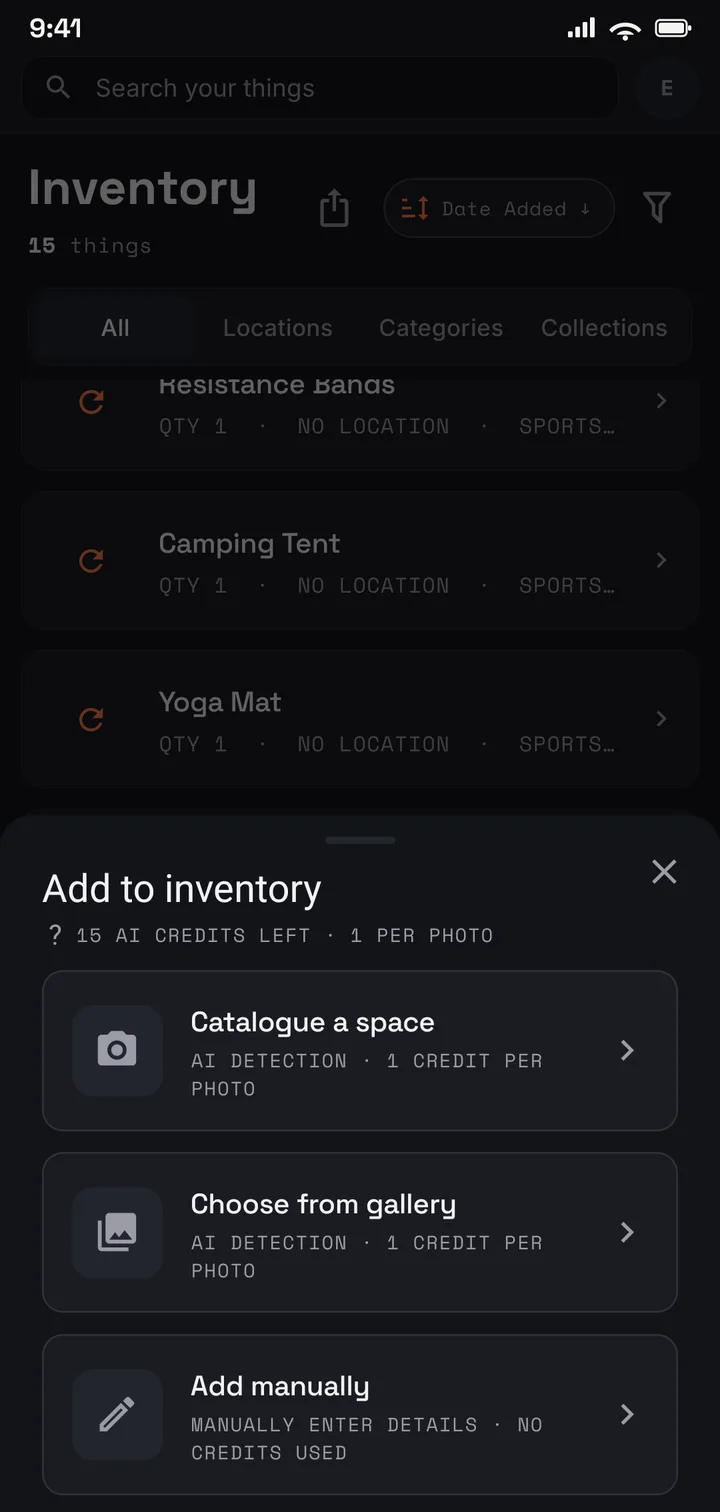
Point your phone at a shelf, drawer, or whole room. One photo is the entire input — no forms, no typing.
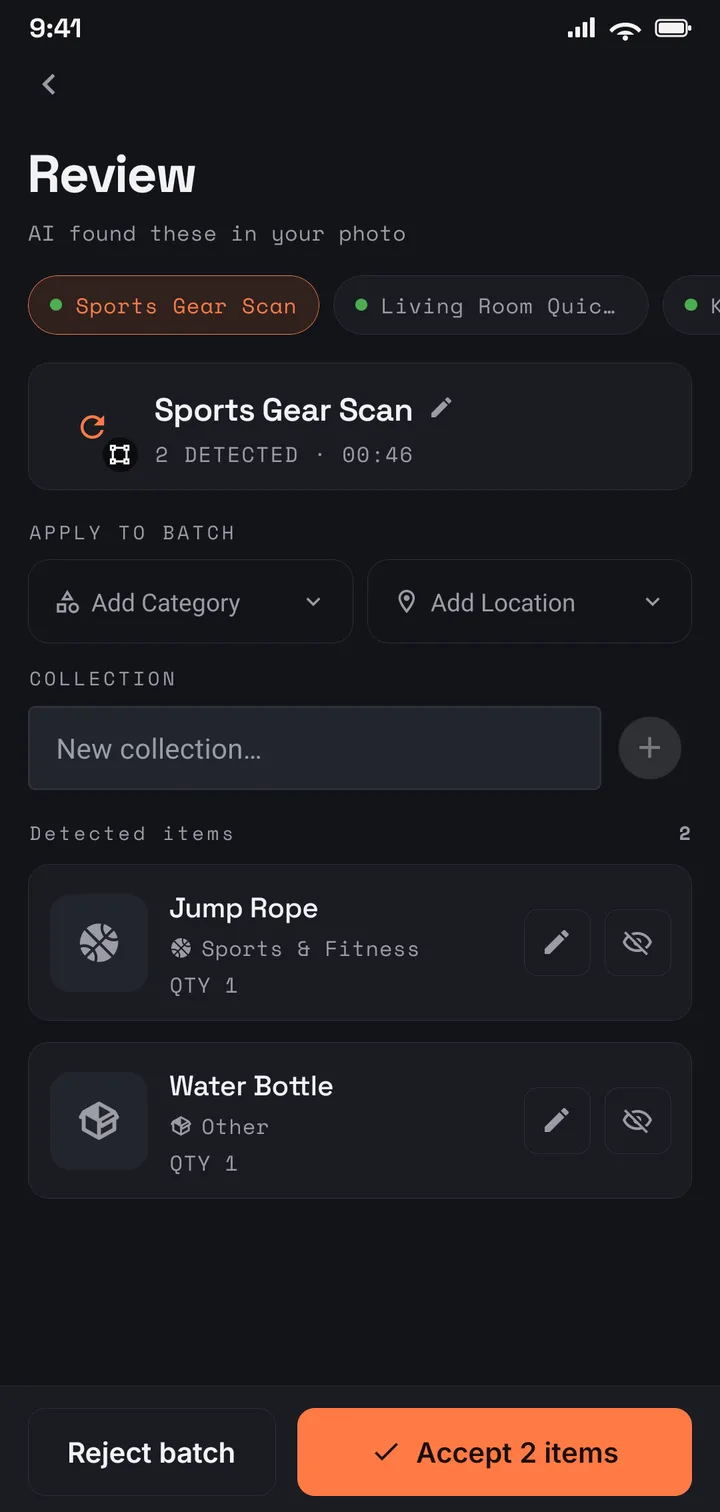
AI detects each item, crops a thumbnail, and drafts the name, description, category, and tags. Set the location once for the whole batch, then accept it or tweak a detail.
Confirmed items land in a catalogue you can search by name, location, or tag — and export the moment you need proof.
What you get
Fast to find, painless to fill, ready when you need proof, and private from the first photo.
Find
Search by name, tag, or location instead of tearing the garage apart, and group what belongs together into collections that cut across rooms. The box you labelled in your head is finally labelled for real.
Capture
A photo becomes named, tagged, located items in a couple of taps. A weekend of spreadsheet work turns into a few minutes on the couch.
Record
Turn selected inventory into an editable spreadsheet or an itemised PDF with values totalled — useful for movers, insurance conversations, or your own records.
Protect
Your inventory is encrypted in transit and at rest, tied to your account, and never sold. No advertising SDKs — only Google Firebase analytics and diagnostics, never used for advertising or for selling your data.
How to use it
One catalogue, and the jobs it does particularly well. Each guide walks through one of them end to end — what to photograph, how to organise it, and what you get out at the end.
An itemised, valued record of everything you own — built from photos before the week you need it.
Learn morePhotograph boxes as you pack them, then unpack by search instead of memory.
Learn moreCoins, records, comics, camera kit, tools — what you own, where it lives, what it is worth.
Learn moreA room-by-room guide to the inventory, and one shared family list for a whole house.
Learn moreRoom by room, from photos: what you own, where it lives, what it is worth.
Learn moreAt a glance
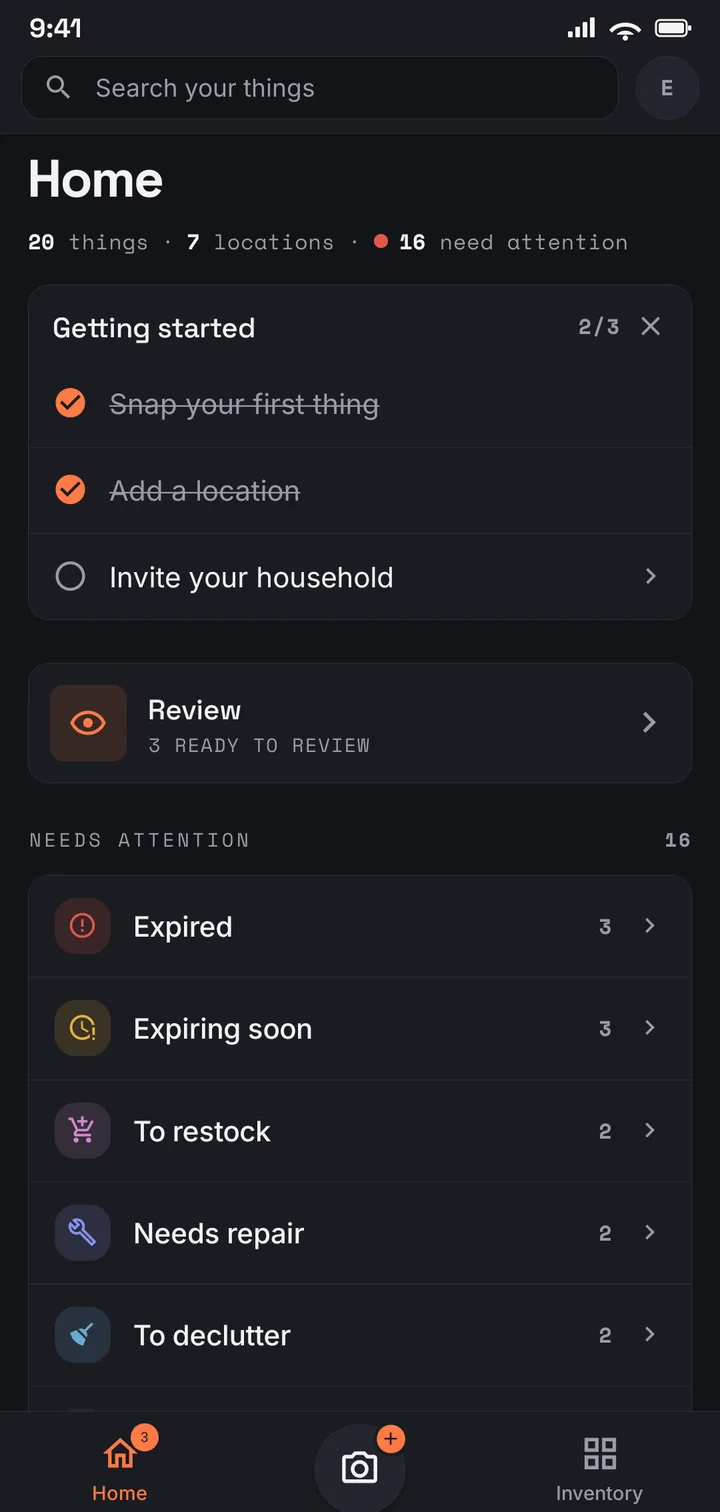
Every thing carries a status. Home surfaces what's expiring, running low, due for repair, or ready to let go — so a quick glance replaces a mental checklist.
Yes. Your inventory is encrypted in transit and at rest, and tied only to your account. Keeper of Things does not sell or share your personal information and uses no advertising SDKs. We use Google's Firebase Analytics for product-usage analytics, and Firebase Crashlytics and Firebase Performance Monitoring for diagnostics, as described in the Privacy Policy; none of this is used for advertising or for selling your data.
No — that is the whole point. Snap a photo and AI drafts the name, description, category, and tags; you set the location and confirm. Manual entry is always there when you prefer it.
Plans with PDF access can export an itemised report with item details, values, and totals, and every plan can export a spreadsheet. The photos you capture stay attached to each item in the app.
Keeper of Things is free to start. The free plan covers a starter catalogue and a monthly allowance of AI credits; paid plans add more items, storage, and credits, plus PDF reports and family sharing. Current prices are shown in the app and on Google Play.
Yes, on the plans that include sharing. The family owner can invite members so everyone manages one shared inventory together.
Trade “where did I put that?” for a calm, searchable catalogue that's ready for insurance, moves, and everyday life. Free to start — your stuff and your data stay yours.
Your data, your control
You own your data and can remove it at any time. Delete your account from the app in Profile → Delete account — it's permanent and erases your inventory and associated data. Note that deleting your account does not cancel a Google Play subscription; you'll need to cancel that separately in the Play Store.