Probate & estate

How to make a probate inventory of a whole house

An estate inventory is a list of everything in the house — described, photographed, valued where it matters, and visible to everyone helping. Whether it is for probate or for downsizing a family home, this is how to build one in passes with a camera instead of months with a clipboard.

The guide

The four steps of an estate inventory

1. Know what the inventory is for

An estate inventory is the schedule an executor works from: the contents of the house, described well enough that someone who has never been there could identify each thing, with a value against whatever carries one. The same list does a second job for the family — it is the shared record of what has already been decided, so the sorting-out can be split between people without anyone losing track.

What the courts require of you differs by country, and the solicitor or registry handling the estate will tell you which assets must be listed and which need a formal valuation. This guide covers the practical half: getting an accurate, photographed list of a whole house built quickly, in a form you can export when the paperwork asks for it.
2. Work room by room, and photograph before you tidy

Finish one room before you start the next. Create the room as a location — Living Room, Main Bedroom, Garage, Loft — then photograph a shelf, a drawer, or a cupboard at a time. AI drafts an entry for each item it can see, with its own cropped photo, a name, a description, and a category. You confirm what is right and correct what is not.

Photograph first, sort later. The photo is the part of the record you cannot recreate once the house is emptied, and it is what settles questions months afterwards: which of the two dining sets, which lamp, what condition the sideboard was actually in.

Things that are worth little individually can go in as one entry with a quantity — a box of kitchenware, forty paperbacks — so the schedule stays readable. Save the item-by-item detail for what carries value, or meaning.

3. Record every decision on the item itself

The inventory only saves the family time if it holds the decisions too. Tags are free-form, so use the words the family actually used — keep, sell, donate, or a person’s name — and search by a tag to pull up everything promised to one person as a single list.

Statuses carry the state of a thing as it moves: mark what is ready to let go, and what needs repair before it could be sold. On Family, everyone sees the same catalogue as it changes, so a decision made in one kitchen is not relitigated a fortnight later by a sibling three cities away.

4. Add values, then export the finished schedule

Put a value on an item as soon as someone knows it — a replacement cost, an auction estimate, what a dealer offered. Anything genuinely valuable is usually appraised properly for probate; the inventory is where that figure lives afterwards, beside the photo it belongs to, and the finished report totals the list.

When the walkthrough is done, export it. The PDF report is the itemised schedule, grouped with locations, values, and totals, and it can carry each item’s main photo beside its details on reports of up to 100 items — or stay text-only for a longer list. The spreadsheet export is the version to hand to a solicitor or an auction house who would rather work in columns. Both are yours to keep after the estate is settled.

How it works

What each pass through a room looks like

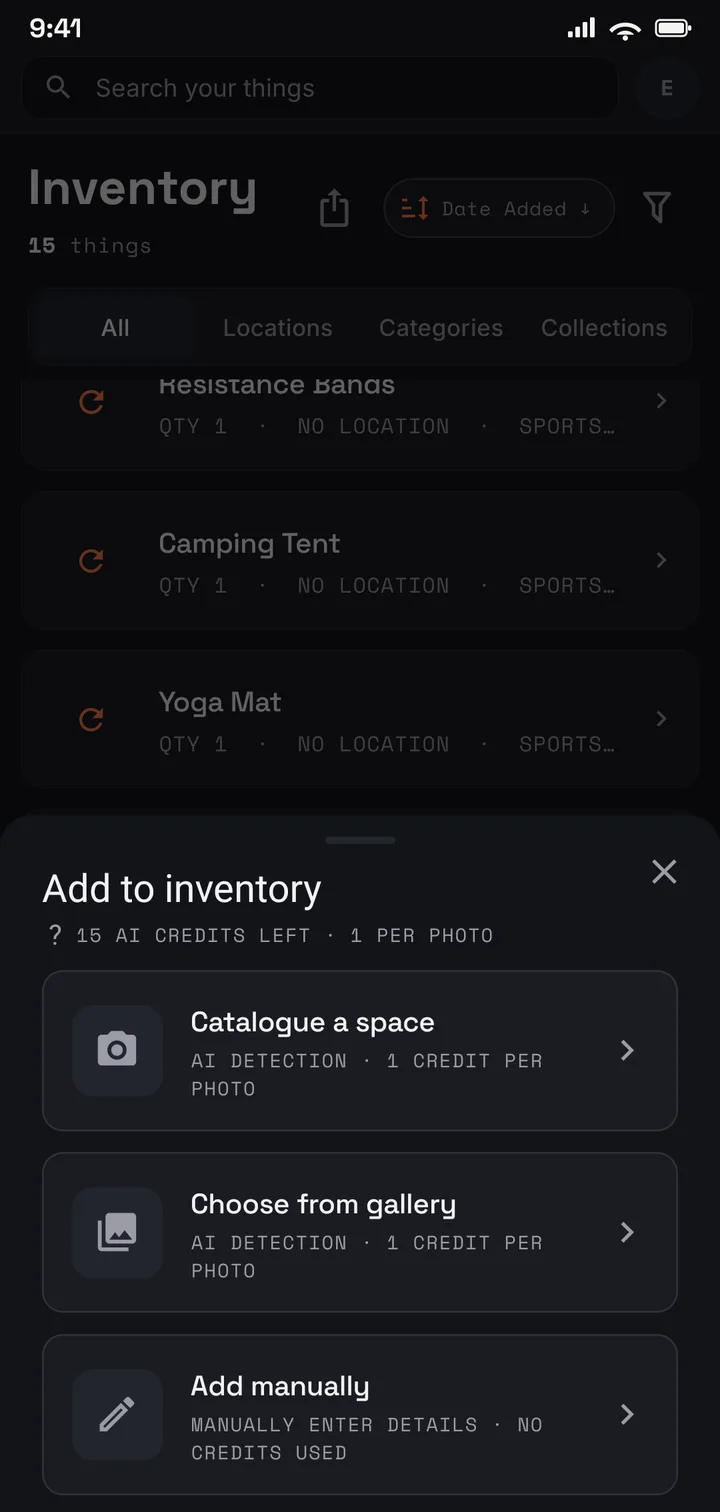
  1. The Keeper of Things capture sheet: catalogue a space, choose from gallery, or add manually.
    Step 01

    Photograph each room as you go.

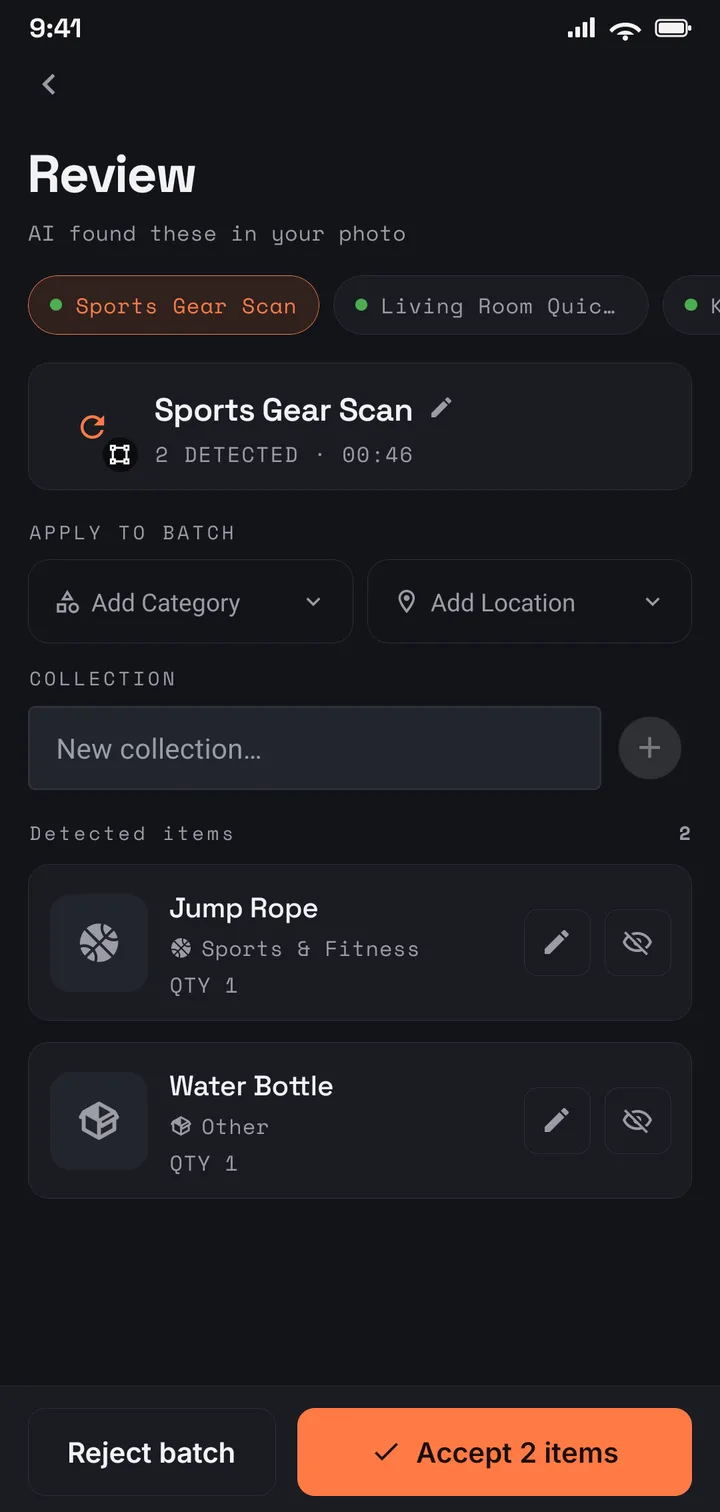
  2. The Keeper of Things review screen showing items the AI detected in a photo, ready to accept.
    Step 02

    AI drafts each item; confirm it or fix it.

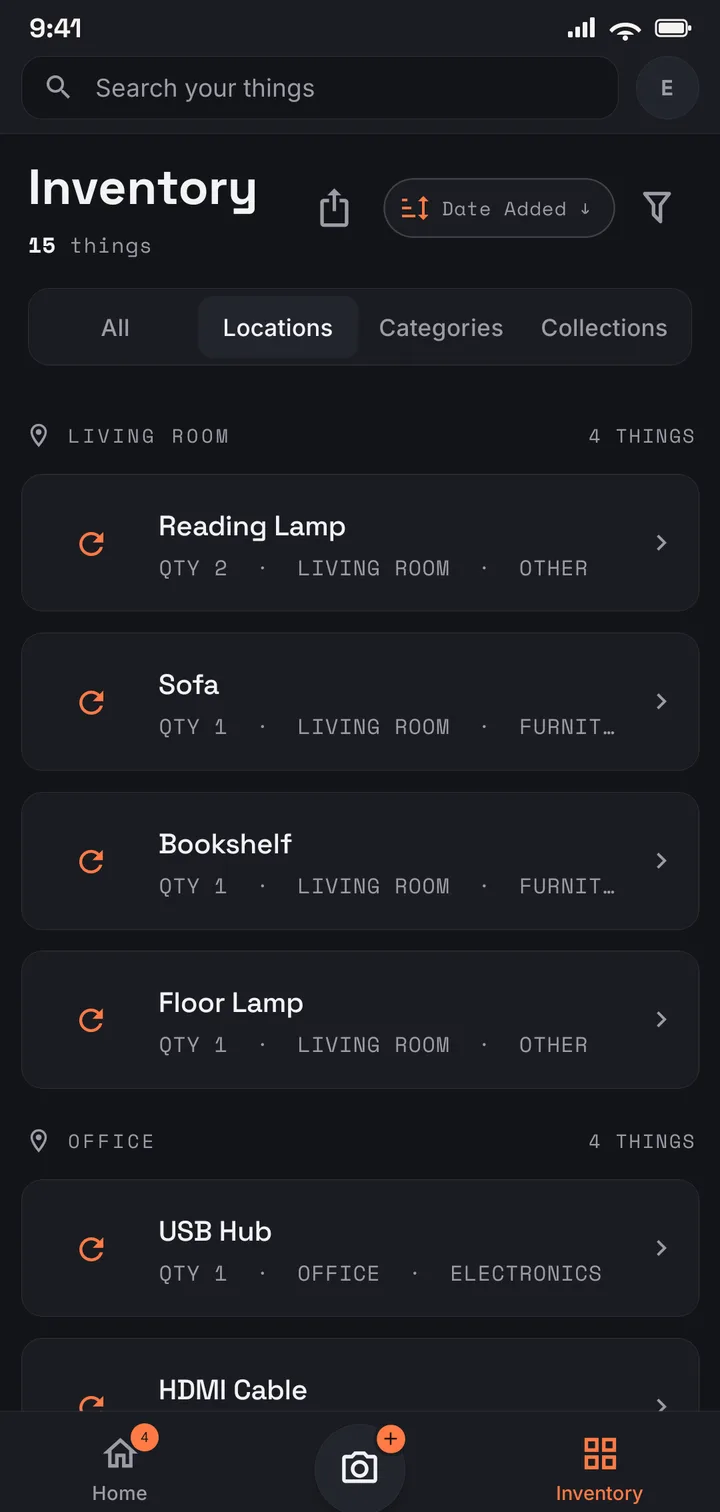
  3. The Keeper of Things inventory grouped by location, showing Living Room and Office groups with item counts.
    Step 03

    See the whole house, grouped room by room.

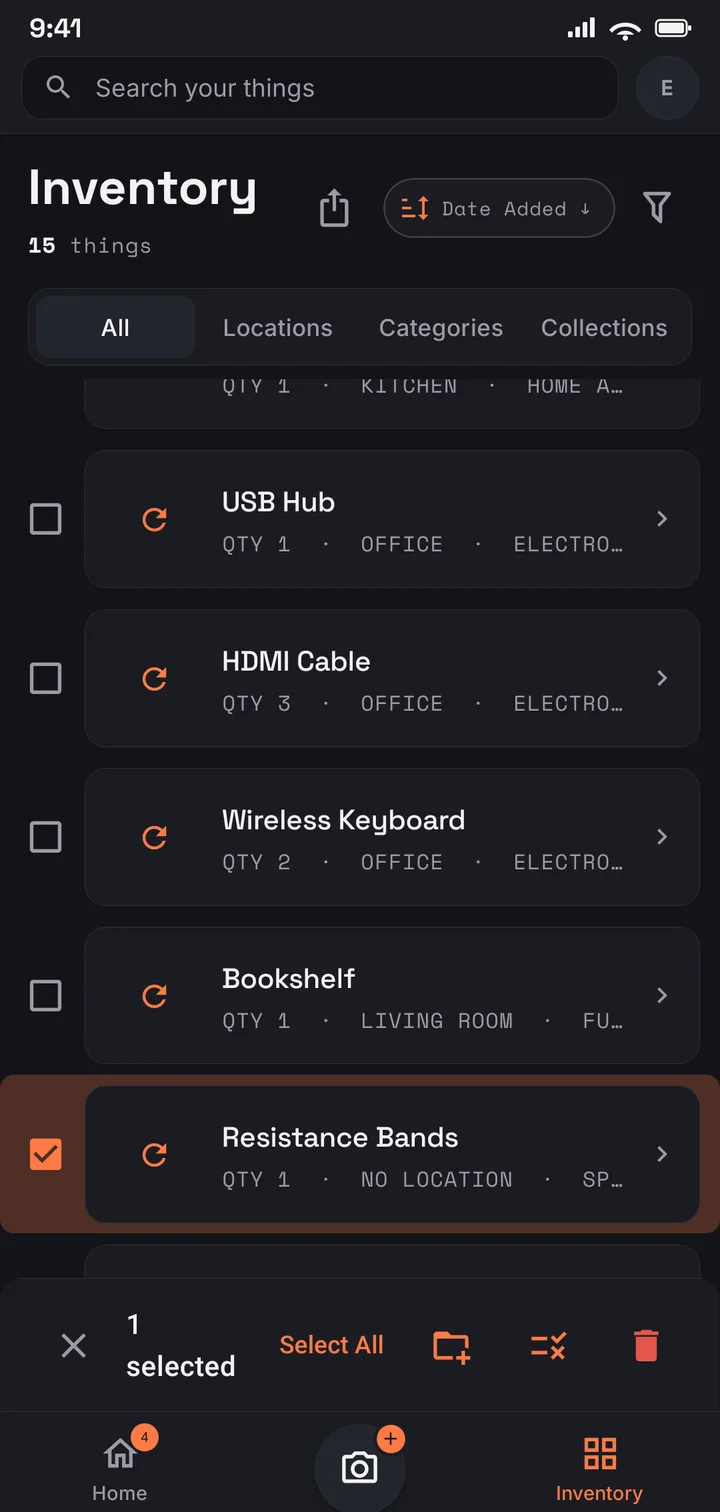
  4. The Keeper of Things inventory with an item selected for a bulk action, showing move, tag, and delete options.
    Step 04

    Select items in bulk to sort, tag, or clear during a walkthrough.

Template

Take the finished list as a template

A finished inventory generated from demonstration data — the shape yours takes when you export it, and a template to work back from.

Download the template

Where to start

Family when the whole family is sorting it out

US$6.99/mo · US$69.99/yr

Family is the natural fit for an estate: one shared inventory for you and up to three others, room for 2,000 items, and PDF reports. Working through it alone? Plus (US$4.99/mo · US$49.99/yr) covers a solo catalogue of 1,000 items. Both start from the free plan, so you can photograph the first room before paying anything.

Use it in your browser today · Android on Google Play

FAQ

Probate and estate inventories, answered

Still curious? Reach us at [email protected] .

What goes into a probate inventory?

Broadly, the assets of the estate, described well enough to identify them, with values where they are needed — the exact requirement is set by the probate process where the estate is being settled, and the solicitor or registry handling it will confirm what form it must take. Keeper of Things is where the contents half of that list gets built: photographed, described, valued, and exported as a PDF or spreadsheet.

Can family in different cities work on the same inventory?

Yes. On Family, the owner invites up to three members and everyone sees the same catalogue as it grows — one person can photograph the house while the others follow along and help decide from wherever they are.

How do we keep track of who gets what?

Tags are free-form: mark items with a name, or keep, sell, donate — whatever the family agreed. Search by tag to see every promised item in one list, and use the status marks for what is ready to let go.

It is a sensitive time — is this private?

Yes. The inventory is visible only to your account and the family members you invite, and you control who joins. It is encrypted in transit and at rest, never sold, and never used for advertising.

What happens to the inventory when the estate is settled?

It is yours. Export the PDF or spreadsheet as the permanent record, then keep the account for your own home — or delete it, which removes the account and its data.

Start the estate inventory with one photo