
Document a room in minutes
Photograph a shelf, a cupboard, or the whole room. AI drafts every item it sees — name, description, category — with the photo kept on each item. You review, set the location, and confirm.
Insurance documentation
That is what a contents claim asks of you, in the worst week to be asked. Keeper of Things builds the list now, from photos, room by room — itemised, valued, and ready to export long before you need it.

What you get
Photograph a shelf, a cupboard, or the whole room. AI drafts every item it sees — name, description, category — with the photo kept on each item. You review, set the location, and confirm.
Record values as you go, then export an itemised PDF report with totals grouped by room — or a spreadsheet — whenever a policy review or a claim needs the figures.
A paper list burns down with the house it describes. Your catalogue lives in your account — encrypted in transit and at rest, never sold — and exports whenever you need a copy.
How it works
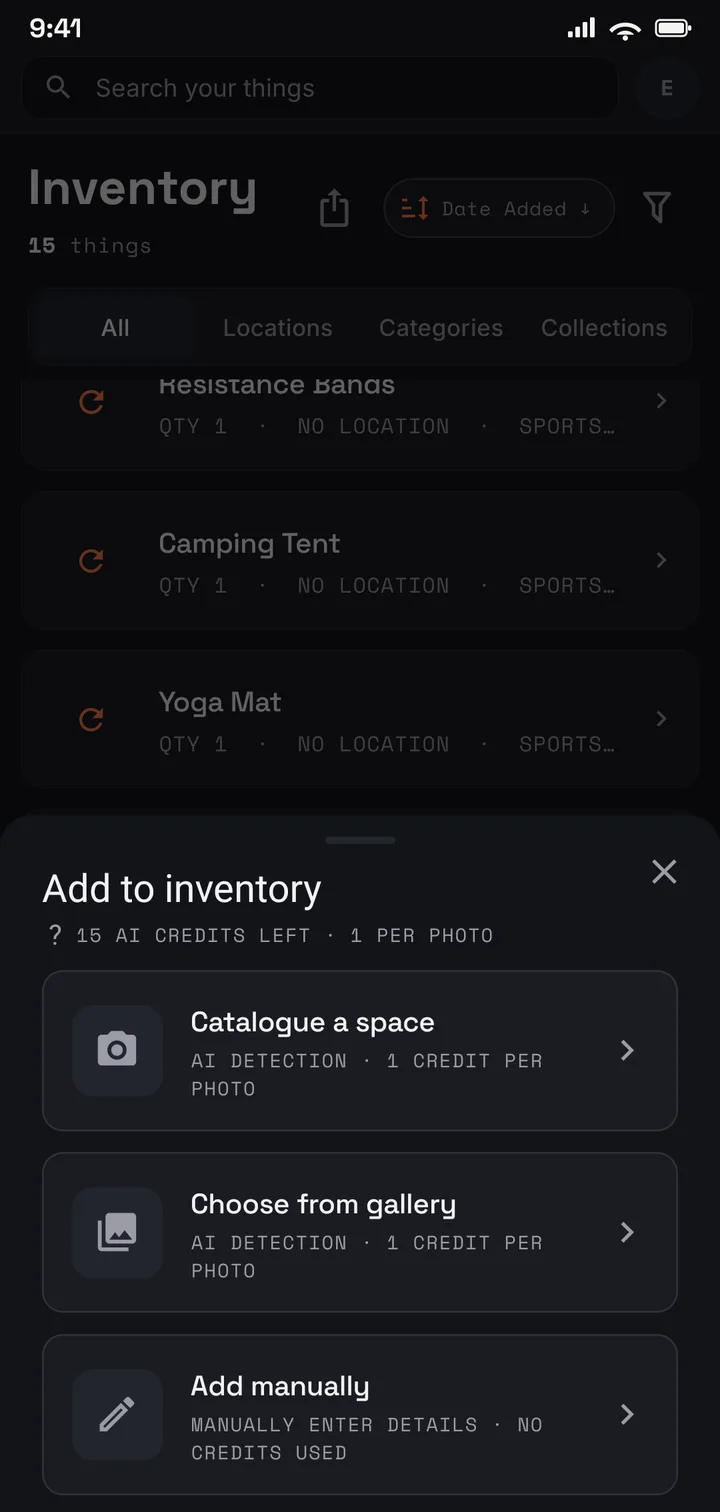
Photograph a room — one photo can hold several items.
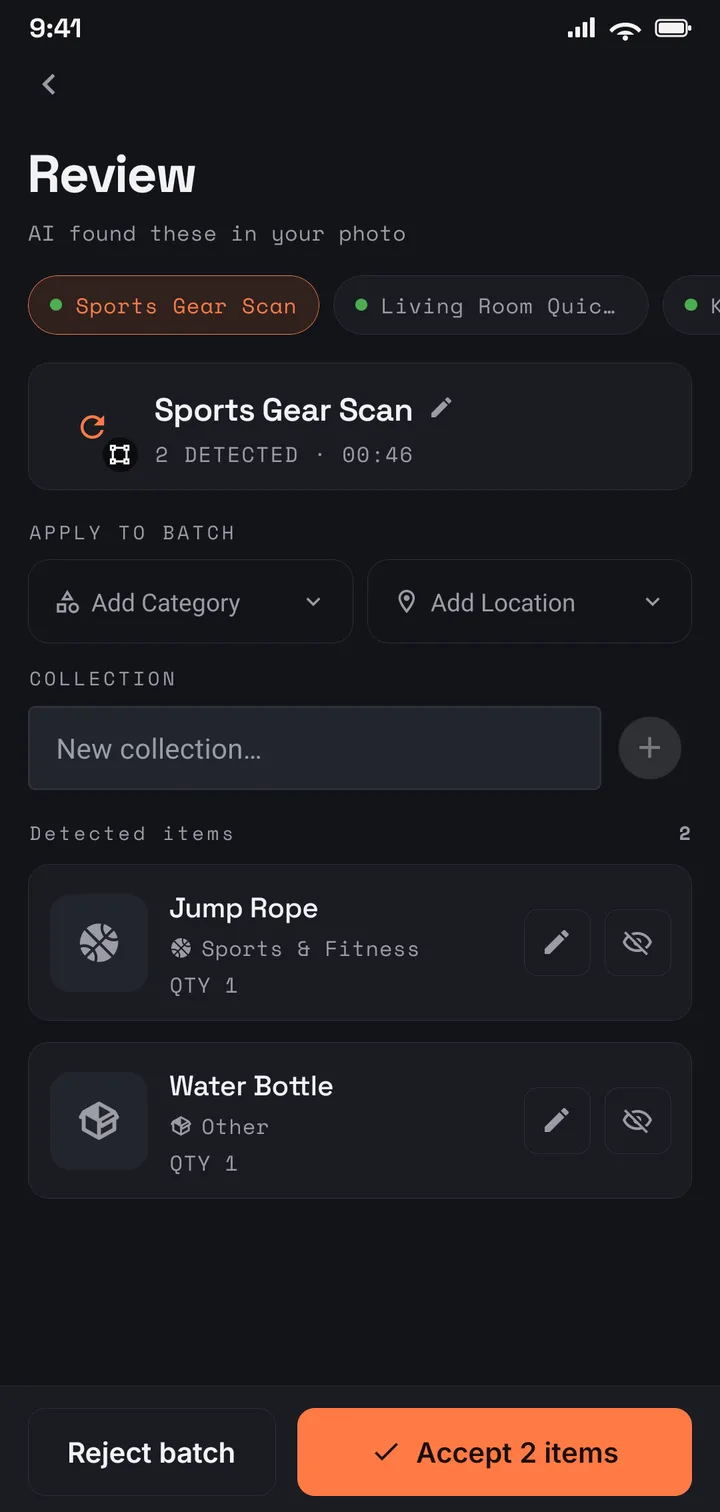
AI drafts each item; you set the location and confirm.
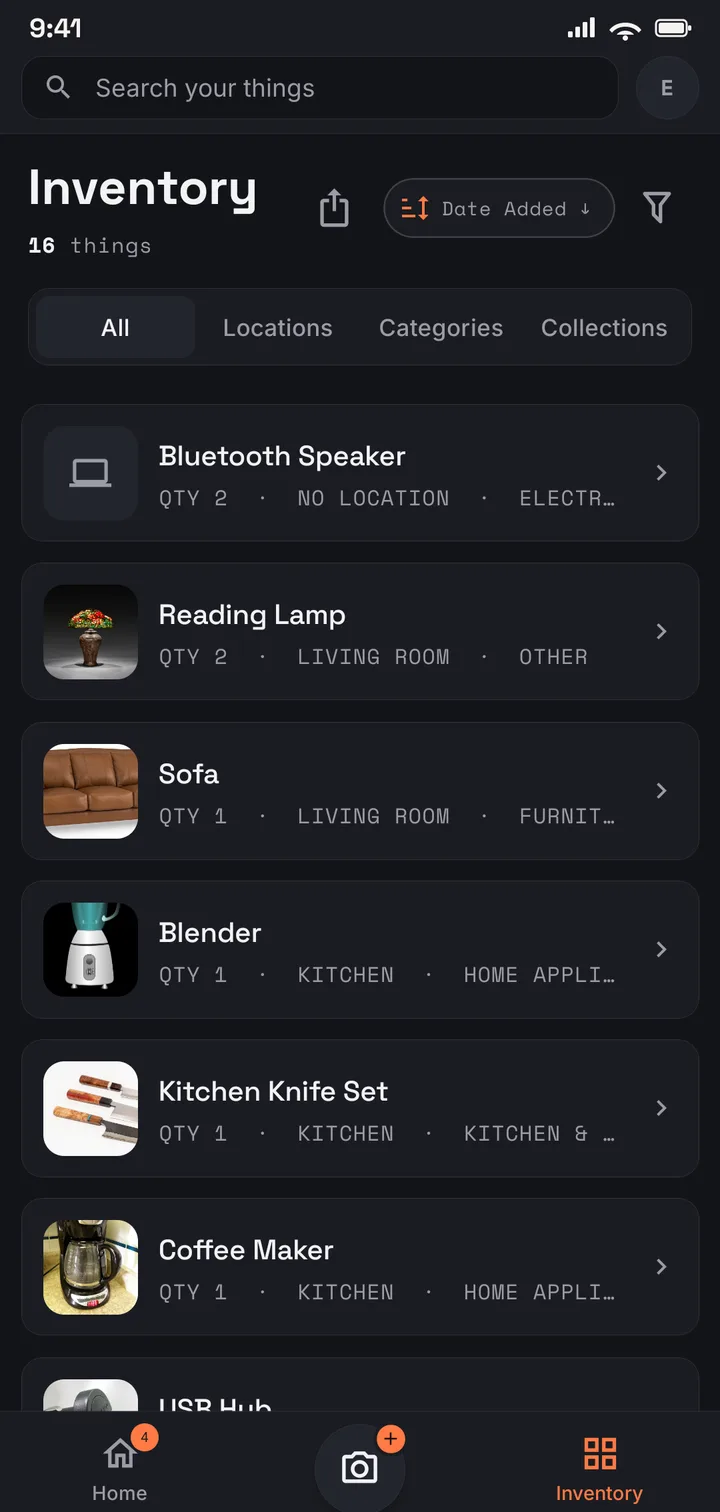
Everything lands in one searchable catalogue, photos included.
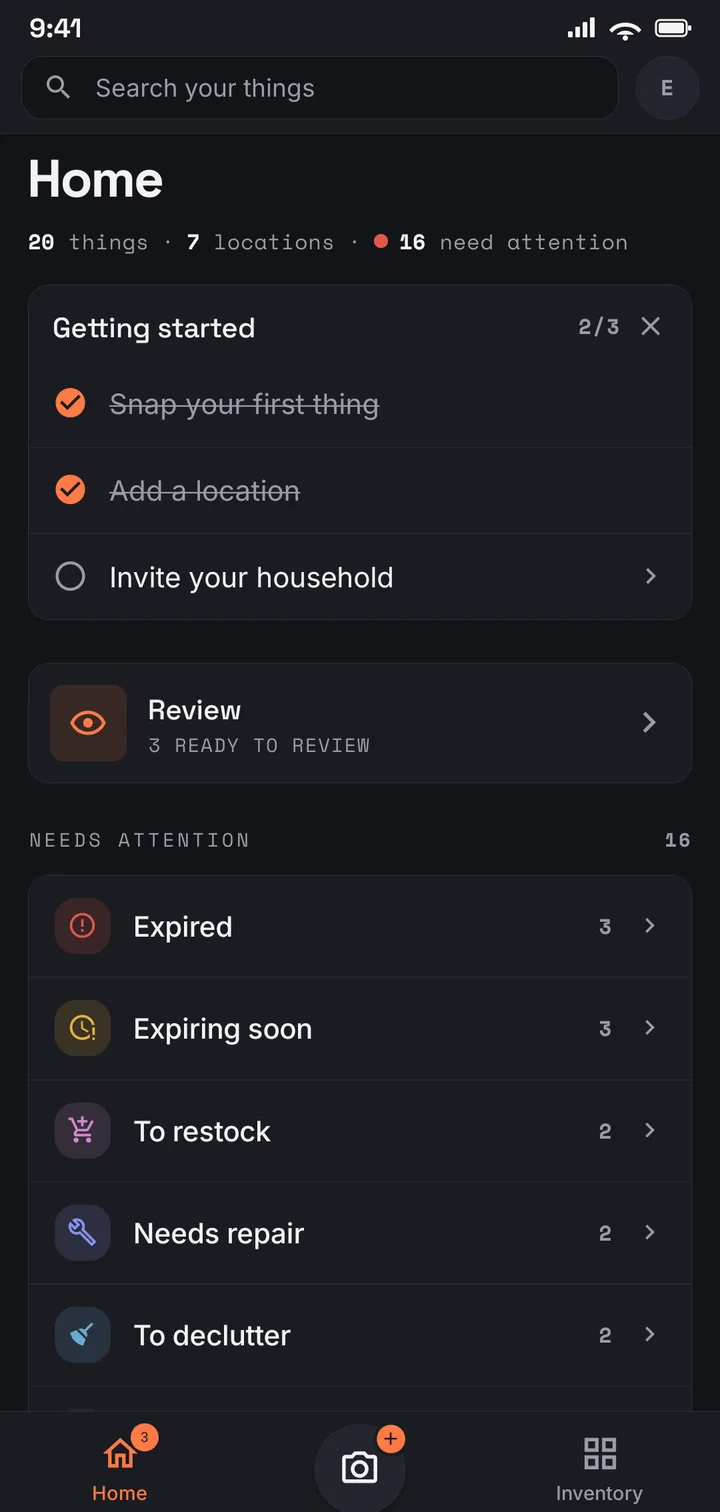
See what needs attention, so the record stays current, not just captured once.
Sample report
A report generated from demonstration data, exactly as the app produces it.
Where to start
Start free and document your most valuable things first — 75 items across 8 locations, with a monthly allowance of AI photo scans. Plus raises that to 1,000 items and adds the itemised PDF report. If the whole family is helping document the house, Family (US$6.99/mo · US$69.99/yr) shares one inventory between you and up to three others.
Use it in your browser today · Android on Google Play
Insurers set their own documentation requirements, so no app can honestly promise acceptance. What Keeper of Things gives you is an insurance-ready record: an itemised list of what you own, with values, dates, and totals, exported as a PDF or spreadsheet to support whatever your policy asks for.
No. Photograph a shelf or a room and AI drafts each item — name, description, category, tags. You set the location and confirm. Manual entry is always there when you prefer it.
Yes — every item keeps the photos you captured, so the visual record sits alongside the details in the app. Exported PDF reports can carry each item’s main photo next to its details, values, and totals — or stay text-only when you want a longer list in a smaller file.
Yes. It is encrypted in transit and at rest, tied to your account, and never sold or used for advertising. You can export your data, or delete your account and everything in it, at any time.