The home inventory app that starts with a photo, not a spreadsheet
A home inventory is a simple idea — what you own, where it lives, what it is worth. The reason most homes never have one is the typing. Keeper of Things works from photos instead: shoot a shelf, AI drafts an entry for every item it sees, and you review and confirm.
What you get
What a home inventory app has to do
Capture rooms, not rows
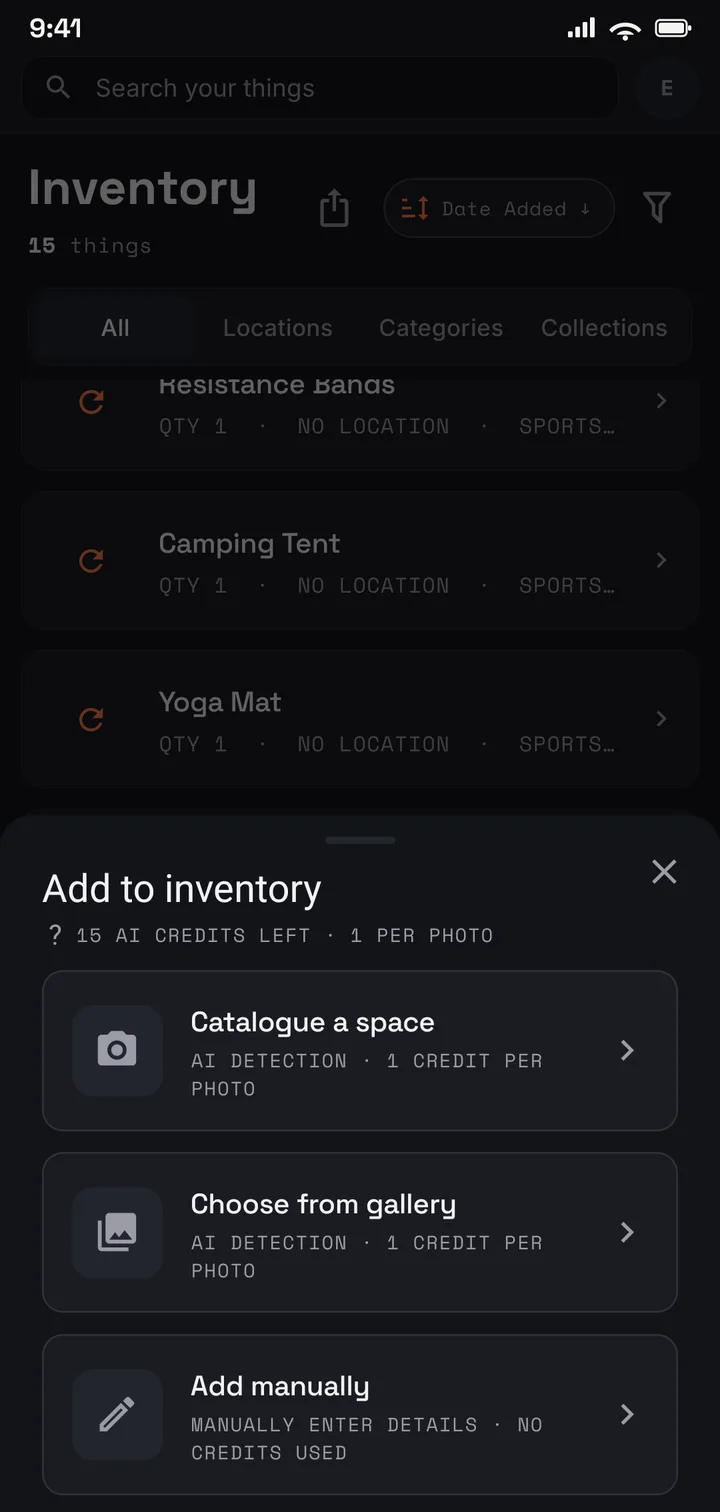
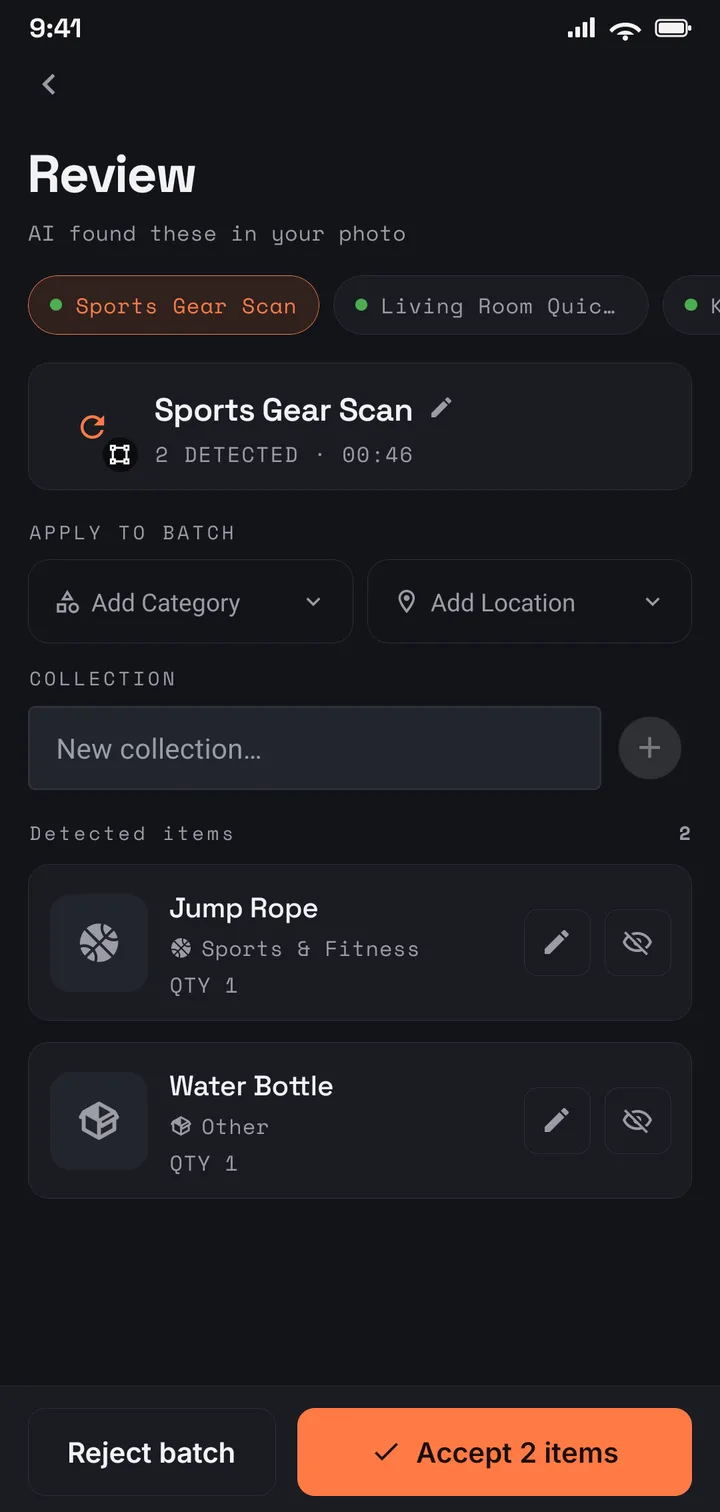
Photograph a shelf, a drawer, or a whole room. AI drafts an entry for each item it sees — name, description, category, its own cropped photo — and you correct and confirm. The typing that kills every spreadsheet inventory never happens.
Answer “where is it?” for good
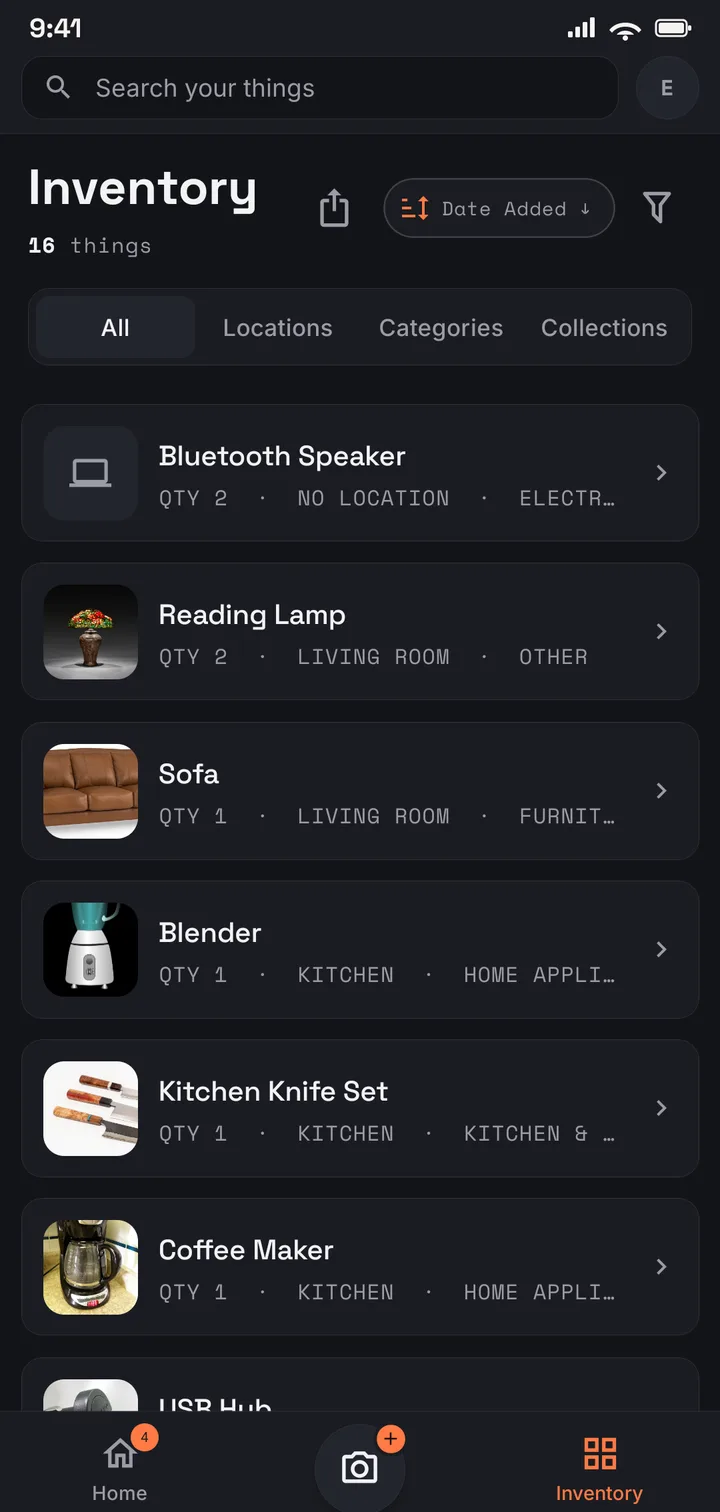
Everything files under a location — a room, a cupboard, a box — and carries tags you choose. Search by name, filter by place, and use collections to keep one list of things that live in different rooms.
Put numbers on the whole house
Record values as you go. Export an itemised PDF report with totals, or a spreadsheet, whenever a policy review, a move, or a “what is all this worth?” question needs real figures.
How it works
From one photo of one shelf to a record of the whole home
Step 01
Photograph one shelf, one drawer, one room at a time.
Step 02
AI drafts each item; you set the location and confirm.
Step 03
The whole home lands in one searchable catalogue, photos included.
Step 04
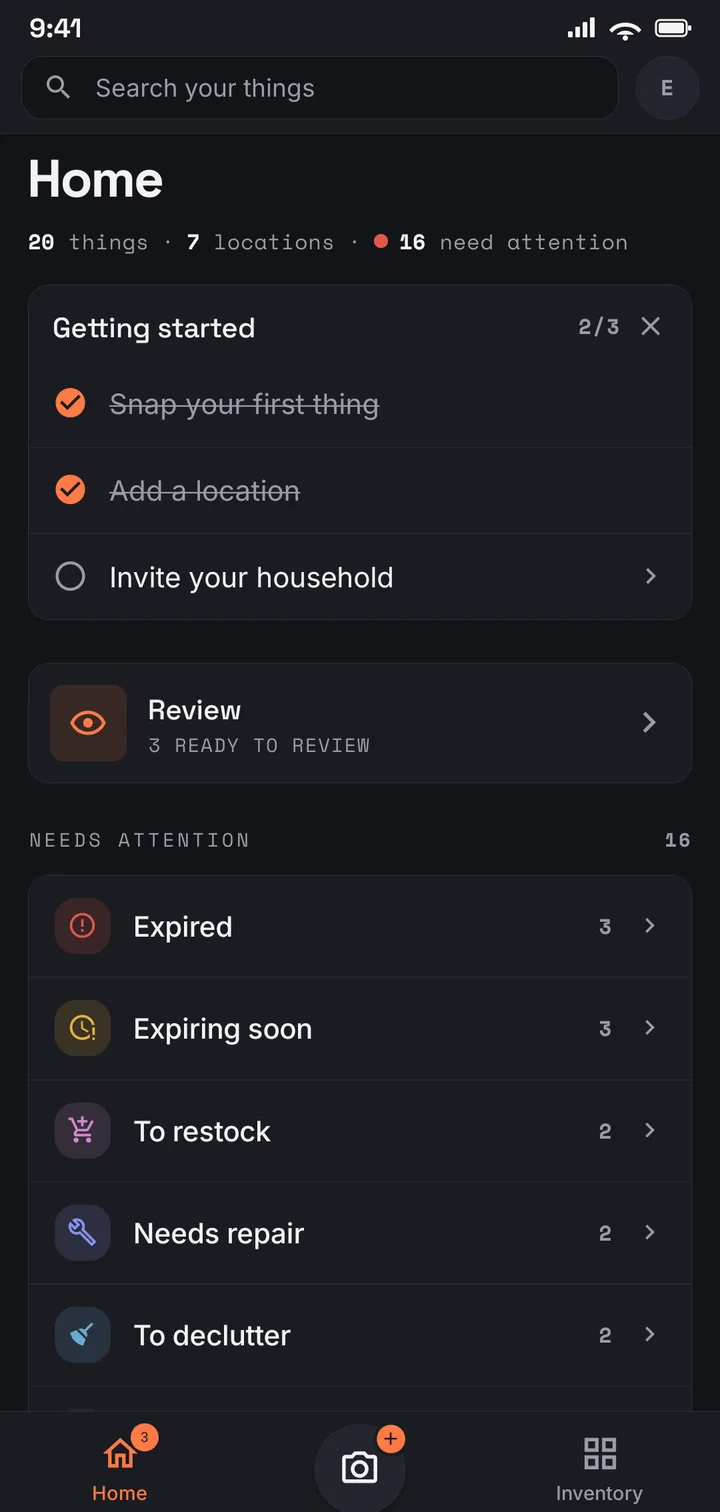
See what needs attention, so the record stays current, not just captured once.
Where to start
Free for the first room, Plus for the whole house
US$4.99/mo · US$49.99/yr
Start free and photograph your most valuable room first — 75 items across 8 locations, with a monthly allowance of AI photo captures. Plus covers a whole house: 1,000 items across 50 locations, with the itemised PDF report. If the family is documenting the home together, Family (US$6.99/mo · US$69.99/yr) shares one inventory of up to 2,000 items between you and up to three others.
Use it in your browser today · Android on Google Play
It keeps an itemised record of what you own: each item with a photo, a description, a location, and a value if you add one. That one record then does several jobs — insurance documentation, a packing manifest when you move, and the everyday “do we already own one of these?” check.
Do I have to type every item in?
No. Photograph a shelf or a room and AI drafts each item it sees — name, description, category — with its own cropped photo. You set the location and confirm. Manual entry is always there for the things a photo cannot capture.
How long does a whole house take?
A room at a time. One photo can hold a whole shelf of items, so a room is usually an evening, not a weekend — and the record is useful from the first photo, long before the house is “done”.
Is my inventory private?
Yes. It is encrypted in transit and at rest, tied to your account, never sold, and never used for advertising. You can export your data, or delete your account and everything in it, at any time.